
Master Time on Your Amazfit Bip 3 Pro: A Comprehensive Guide
As an Amazfit Bip 3 Pro user, you possess a cutting-edge smartwatch that keeps you connected and on time. However, if the displayed time becomes inaccurate, don’t worry! Adjusting the time on your Bip 3 Pro is a straightforward process. This guide will provide step-by-step instructions to ensure you always have the correct time at your fingertips.
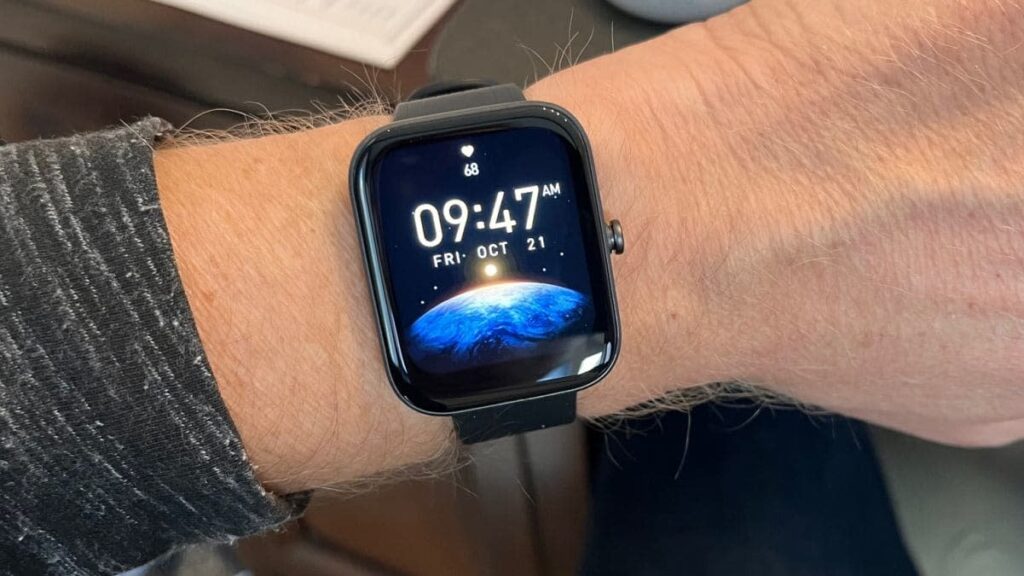
Table of Contents
Step-by-Step Guide For Your Amazfit Bip 3 Pro Watch
1. Access Settings:
- Swipe down from the watch face to open the Quick Settings menu.
- Tap the gear icon to enter the Settings menu.
2. Navigate to Time & Date:
- Scroll down and select “Time & Date.”
3. Adjust Time Zone:
- Tap “Time Zone” and choose your desired zone from the list.
- Ensure “Automatic Time Zone” is disabled.
4. Enter Current Time:
- Tap “Set Time” and use the arrows or keypad to input the correct time.
5. Set Date Format:
- Select “Date Format” and choose your preferred format.
6. Choose Time Format:
- Tap “Time Format” and opt for either 12-hour or 24-hour format.
7. Save Changes:
- Hit “Save” to apply the time adjustments.
Benefits of Accurate Timekeeping
1. Punctuality:
- A correctly set watch ensures you’re always timely for appointments and events.
2. Connectivity:
- Many apps and services rely on accurate timekeeping to function properly.
3. Precise Activity Tracking:
- The Bip 3 Pro accurately tracks activities (steps, distance, sleep). Correct timekeeping ensures accurate data.
4. Daylight Saving Time Adjustments:
- Easily adjust your watch time during daylight saving time transitions.
5. Personalization:
- Setting the time to your preferred time zone personalizes your watch.
6. Troubleshooting:
- Changing the time can resolve issues like delayed notifications or inactive alarms.
7. Peace of Mind:
- A well-timed watch provides peace of mind, keeping you organized and on track.
Conclusion
Mastering the ability to change the time on your Amazfit Bip 3 Pro watch is a valuable skill. By following the simple steps in this guide, you can ensure your watch always displays the correct time, empowering you to stay punctual, connected, and organized on your adventures.
Looking for the perfect watch for your active lifestyle? Check out our list of the 6 best multisport GPS watches. This guide will help you find the ideal watch to track your performance across various sports, ensuring you stay on top of your fitness goals.

My name is Oje and I’m obsessed with finding the latest tech gear to help people track progress and solve problems more efficiently. I spend countless hours researching and testing innovative apps, wearables, and devices for fitness, health, productivity, and more.