
How Fitness Enthusiasts and Backpackers Can Hard Reset Their Apple Watch
Introduction
The Apple Watch is a popular choice for fitness enthusiasts and backpackers due to its wide range of features. However, like any electronic device, it can sometimes experience problems that require troubleshooting. Learning how to hard reset your Apple watch can be an effective solution for persistent issues and can also prepare the watch for a new user or adventure.

Table of Contents
When and Why to Hard Reset your Apple Watch
A hard reset can be beneficial in the following situations:
- Troubleshooting persistent issues: To resolve freezing, slow performance, or battery drain.
- Preparing for a new adventure: To remove unnecessary apps and data, and ensure maximum performance.
- Selling or giving away the Apple Watch: To protect personal data and prepare the watch for a new user.
Before Performing a Hard Reset
- Backup Your Data: Before initiating a hard reset, it’s crucial to back up your Apple Watch data to iCloud. This ensures that your important information, such as activity history, health data, apps, and settings, are safely stored and can be restored later if needed.
- Check for Updates: Ensure that your Apple Watch and iPhone are running the latest software updates. Sometimes, software glitches or performance issues can be resolved by updating to the latest version of the operating system.
- Troubleshoot Minor Issues: Before resorting to a hard reset, try troubleshooting minor issues by restarting your Apple Watch or iPhone, checking for connectivity issues, and closing any running apps that may be causing problems.
- Disconnect from the Power Source: If your Apple Watch is currently charging, unplug it from the power source before initiating the hard reset process. This prevents any potential interruptions during the reset process.
- Review Apple’s Guidelines: Familiarize yourself with Apple’s guidelines and recommendations for performing a hard reset on your Apple Watch. This ensures that you follow the correct steps and avoid any unintended consequences.
Step-by-Step Hard Reset Instructions
Note: Before performing a hard reset, it is important to back up your data using iCloud Backup.
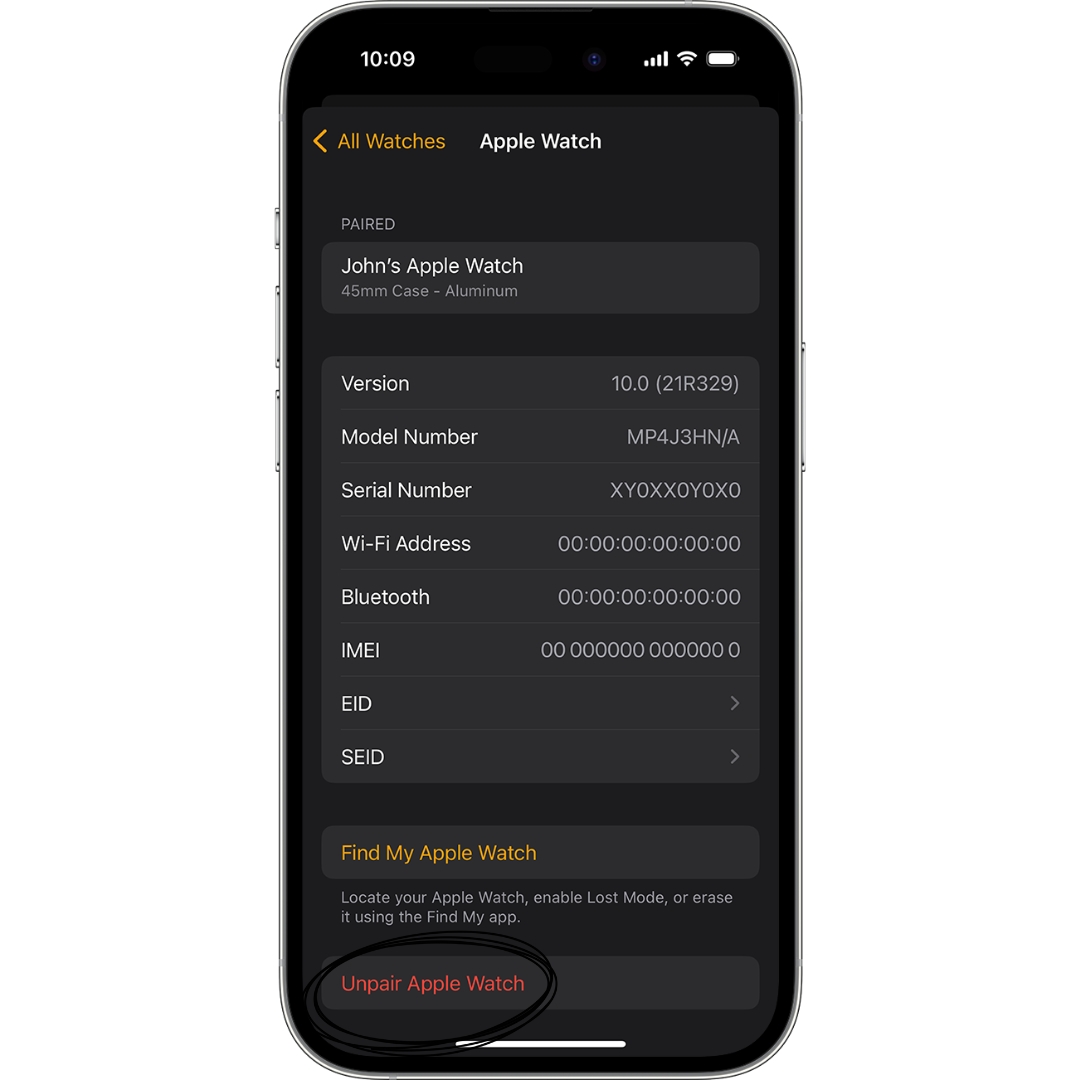
- Unpair the Apple Watch from your iPhone: Open the Watch app > “My Watch” tab > “Unpair Apple Watch”.
- Turn off the Apple Watch: Press and hold the side button until the power off slider appears > Slide the slider to the right.
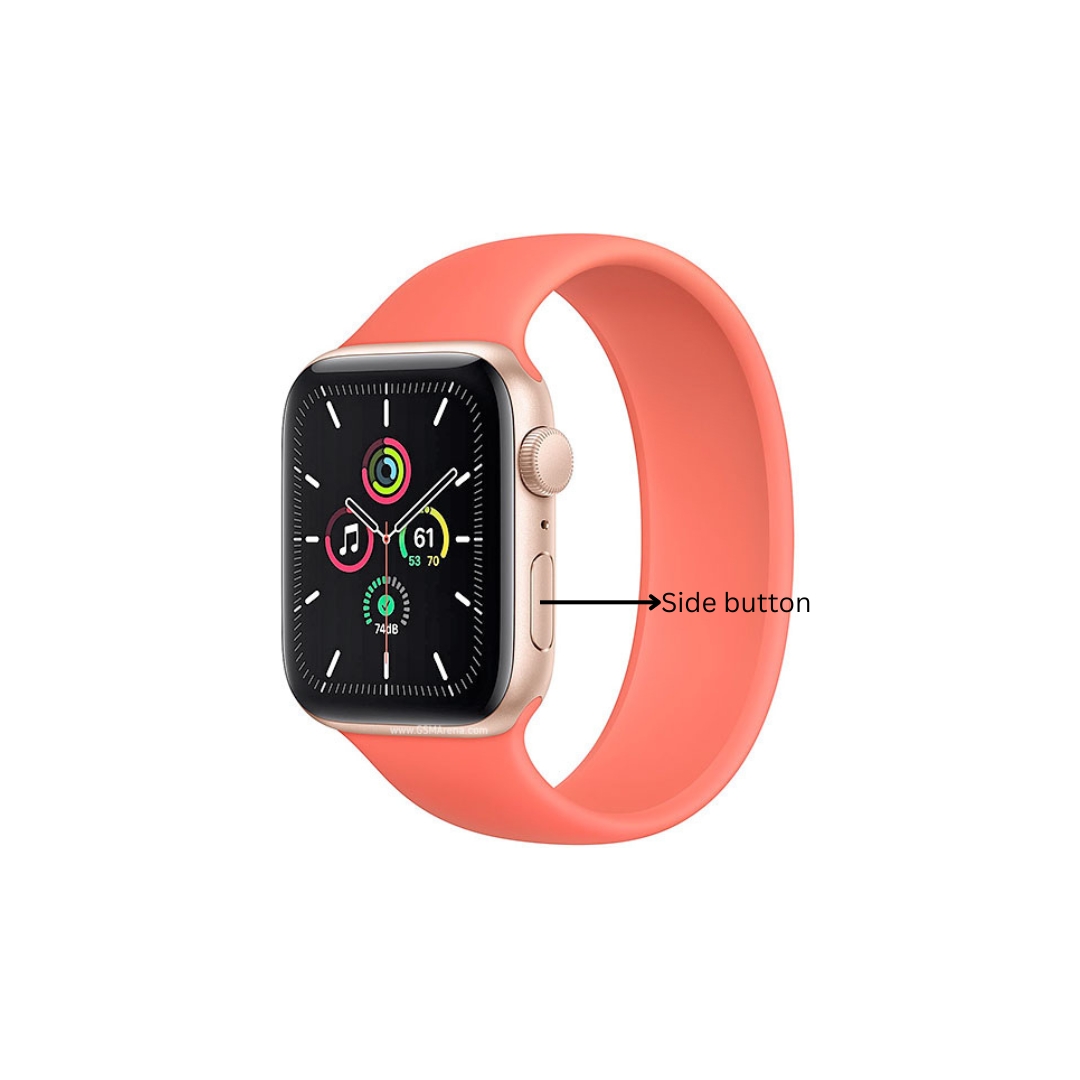
- Press and hold the side button and Digital Crown: Keep holding both buttons until the Apple logo appears on the screen.
- Release the buttons: The Apple Watch will start the hard reset process.
- Set up the Apple Watch: After the reset, you will need to set up your watch again from scratch.
Conclusion
By following the steps above, you can hard reset your Apple Watch to resolve issues, prepare it for new adventures, or protect your privacy. This process will erase all data and settings, so it is important to back up your data before proceeding.
If you also need to do a Complete Reset on Your Apple Watch, this guide will help you.

My name is Oje and I’m obsessed with finding the latest tech gear to help people track progress and solve problems more efficiently. I spend countless hours researching and testing innovative apps, wearables, and devices for fitness, health, productivity, and more.